IT Help Desk
The Xenter IT Help Desk is your first stop for all IT support requests — hardware, software, access issues, and more. Submit tickets at help.xenter.io using your Xenter account.
Priority Levels & Response Times
When you open a ticket, you’ll select a priority level. Use the table below to pick the one that best matches your situation.
| Priority | Response Time | Use When |
|---|---|---|
| Emergency | 1 hour | Complete work stoppage, active security incident, or system-wide outage |
| High | 4 hours | A critical tool or system is impaired and blocking your work |
| Normal | 24 hours | Standard requests, software installs, access needs |
| Low | 48 hours | Minor issues, questions, cosmetic problems, or non-urgent enhancements |
Response times are measured during normal business hours.
Submitting a Ticket
Logging In
Go to
help.xenter.ioand click Sign In in the top right.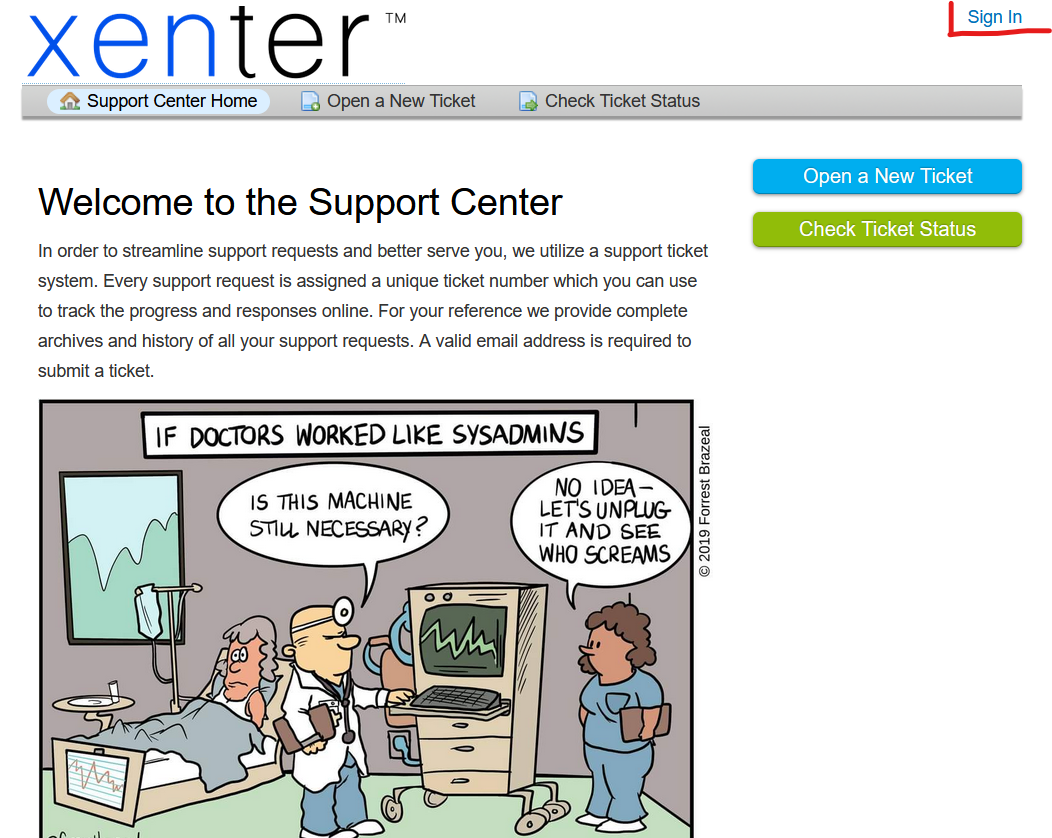
osticket sign in Click Sign in with Azure — do not use the username/password fields on the left.
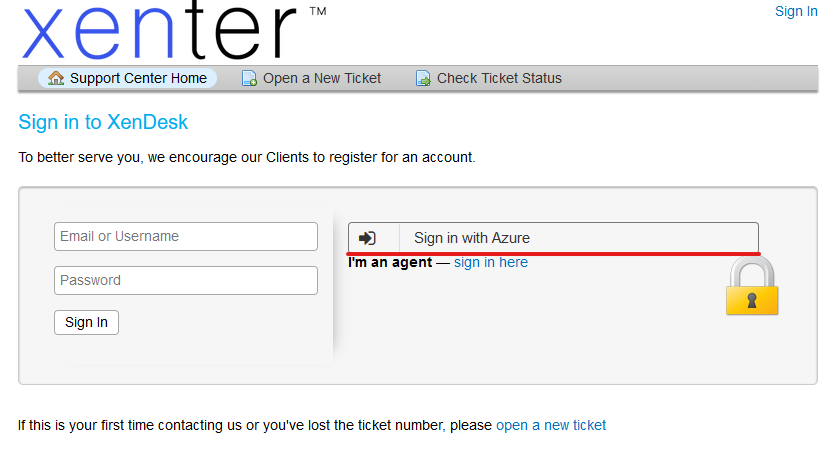
osticket azure sign in Authenticate with your Xenter Microsoft account. Click Yes on any prompts.
Confirm your name appears in the top right corner before continuing.
Creating a Ticket
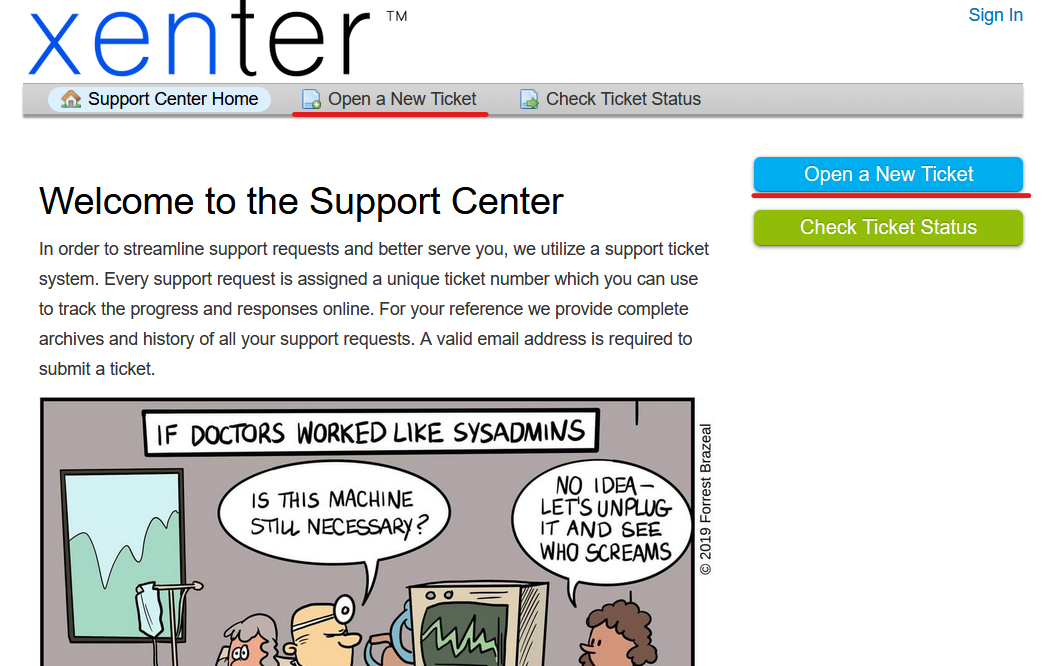
Click Open a New Ticket at the top of the page, or the blue button on the main page.
open new ticket Select a Help Topic — choose the most specific option that fits your issue (e.g., Requesting Software, Security Incident). Use Report a Problem if you’re unsure.
Select the Priority Level that matches your situation. Refer to the table above if you’re unsure.
Enter a short Issue Summary, then describe the problem in detail in the description box.
Screenshots help IT resolve your issue faster. Attach a screenshot or photo of any error messages, unexpected behavior, or relevant screens before submitting.
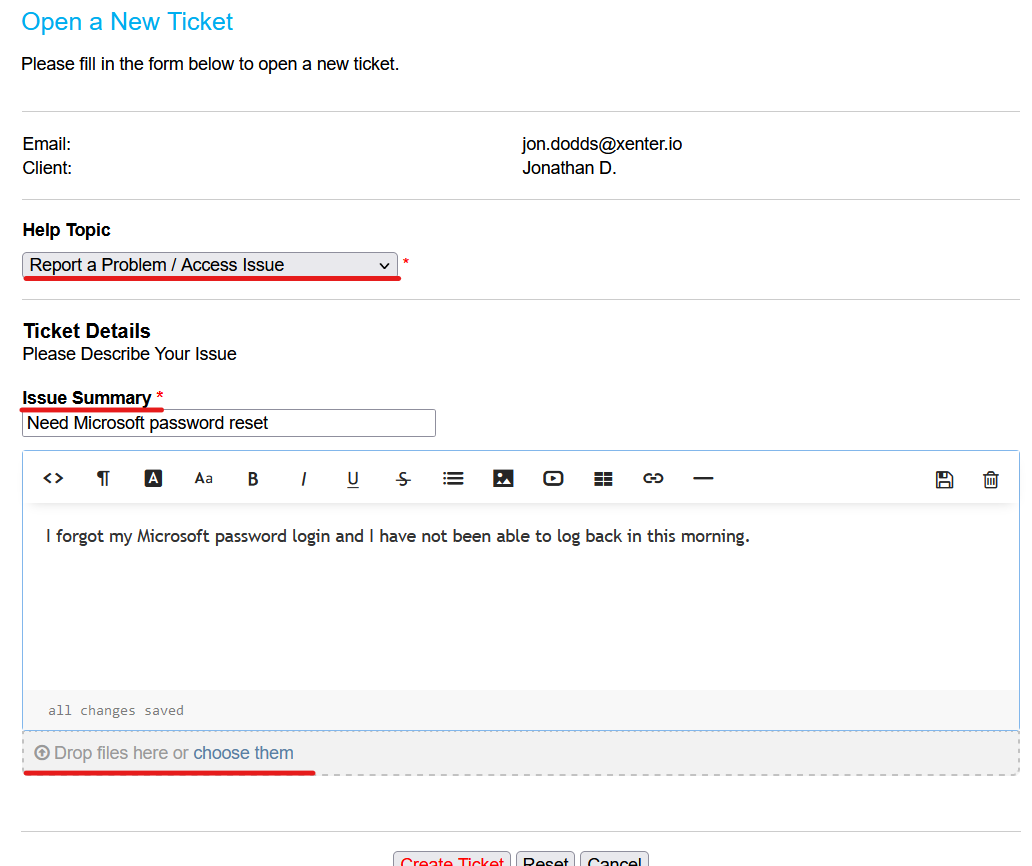
created ticket Click Create Ticket at the bottom. The next page will show your open ticket.
Checking Ticket Status
You can check the status of any open ticket at any time.
Go to
help.xenter.ioand sign in.Click Tickets in the top navigation, or click Tickets next to your name in the top right.
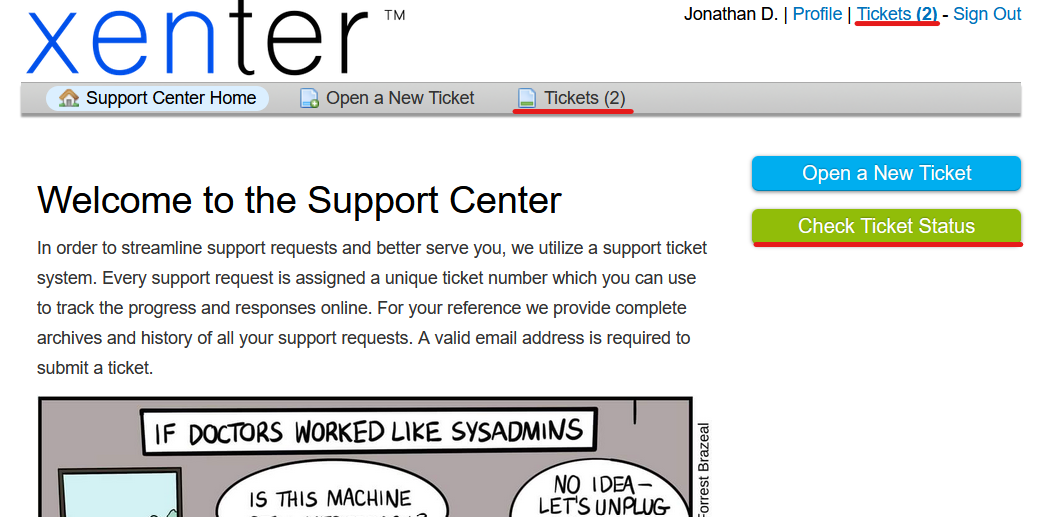
ticket status
Can’t Access Your Work Account?
If you’re locked out of your Xenter account and can’t sign in to the help desk, email us directly from your personal email address:
Include your name, your Xenter email address, and a brief description of the issue. IT will respond within normal business hours.